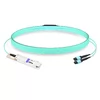
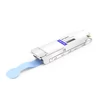
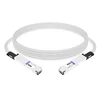
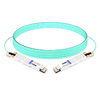
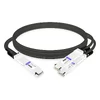
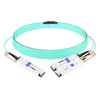
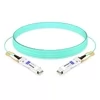
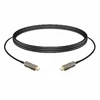
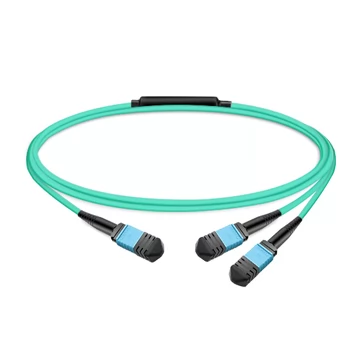
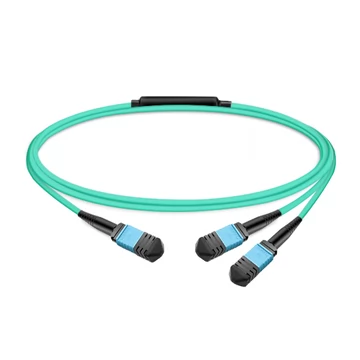
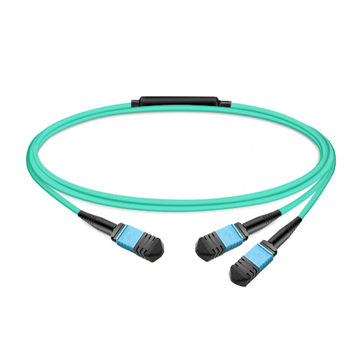
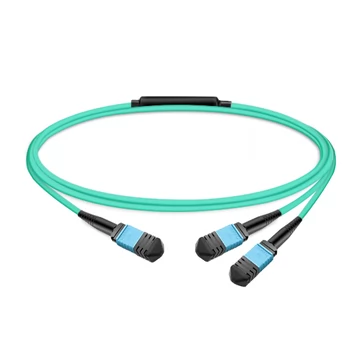
An MPO Y-splitter cable turns one 800G switch port into two 400G links—or one 400G port into two 200G links—without the need for additional switch-side transceivers. This allows you to save on optics, reduce port counts, and reclaim rack space in AI and hyperscale fabrics. However, if you get the polarity, fiber count, or connector polish wrong, the split will fail at commissioning.
Why MPO Y-Splitter Orders Go Wrong
Most Y-splitter failures are not caused by fiber-quality problems. Instead, they are ordering mistakes that only surface after the cable is pulled and the link fails to come up. The three most common causes are:
· Wrong fiber count: An 800G QSFP-DD or OSFP port (such as SR8 or DR8) carries 16 lanes. If you split it with an 8-fiber cable, half the signal will never reach the endpoint. A 400G-to-2×200G split requires 8 active fibers, whereas an 800G-to-2×400G split requires 16.
· Polarity mismatch: A Y-splitter must preserve the transmit-to-receive lane mapping across both legs. An incorrect polarity type breaks the crossover and kills the link, even if the cable tests fine on its own.
· APC/UPC confusion: Angled-polish (APC) and flat-polish (UPC) connectors look similar but do not mate cleanly. Mixing them on a single split introduces high insertion loss and reflection, which can easily push a PAM4 link over its error budget.
For every SKU, FiberMall clearly addresses these three elements: the fiber count matches the transceiver module, the polarity is specified as Type B, and the APC/UPC polish type is explicitly indicated in the product name.
What You Get With Every Cable
Low Insertion Loss, Verified
Minimizing loss is the entire point of a high-quality splitter. FiberMall Y-splitters are built as low-loss assemblies with consistent ferrule alignment and are rigorously tested for insertion loss before they ship. That optical headroom is what keeps a PAM4 link stable once adapters and patch cords are added to the channel.
Type B Polarity, the Data Center Standard
Type B (reversed) polarity is the de facto standard for parallel-optic links because it utilizes the same patch cord on both ends. Every FiberMall Y-splitter ships as Polarity B, matching NVIDIA and major switch-vendor conventions so your lanes map correctly the first time.
8-Fiber and 16-Fiber Configurations
Match the fiber count to your optics, eliminating the guesswork. Typical configurations include:
· 16-Fiber Multimode: An MPO-24 UPC splitting into two MPO-8 UPCs (16 active fibers) is typically used for 800G multimode applications, such as SR8 or VR8.
· 16-Fiber Single-Mode: An MPO-16 APC splitting into two MPO-8 APCs (16 active fibers) is the standard for 800G all-APC single-mode links, such as DR8 and XDR8.
· 8-Fiber Configurations: An MPO-12 APC splitting into two MPO-12 APCs (8 active fibers) is ideal for 400G to 2×200G applications, InfiniBand, and NVLink deployments.
Appropriate Fiber Types with LSZH Jackets
Standard multimode Y-splitters use OM3 or OM4 50/125 fiber, while single-mode applications utilize OS2 fiber. All cables feature a low-smoke zero-halogen (LSZH) jacket that meets indoor data center safety requirements without sacrificing routing flexibility in high-density racks.
Lengths from 3m to 50m
Standard stock covers lengths of 3m, 5m, 7m, 10m, 15m, 20m, 30m, and 50m. Non-standard lengths are available upon request for custom data center layouts.
Choose the Right Configuration
1. Match Fiber Count to the Port
· An 800G QSFP-DD/OSFP port (like SR8 or DR8) needs a 16-fiber splitter (one MPO-16 or MPO-24 splitting into two MPO-8s).
· A 400G QSFP-DD/OSFP port split into two 200G links uses an 8-fiber splitter (one MPO-12 splitting into two MPO-12s).
Note: If 800G is on your roadmap, buy the 16-fiber splitter now—8-fiber cables cannot be retrofitted to support 16-lane traffic later.
2. Confirm Polarity and Polish
· Polarity B is the standard choice for these breakouts and is widely stocked by FiberMall.
· APC (angled polish) minimizes reflection on single-mode and high-speed PAM4 links; UPC (flat polish) is used where the transceiver port dictates a flat-polished connection. Always match the polish to the transceiver port, not to personal preference.
3. Check Your Application
· 800G Twin-Port OSFP to 2× 400G: The source side requires 1× MPO-16 or MPO-24 connector, while the split side requires 2× MPO-8 connectors.
· 400G QSFP-DD/OSFP to 2× 200G: The source side requires 1× MPO-12 connector, while the split side requires 2× MPO-12 connectors.
FAQ
What is an MPO Y-splitter cable, and how is it different from a breakout cable?
A Y-splitter divides one multi-fiber MPO connector into two MPO connectors—for example, one 16-fiber MPO into two 8-fiber MPOs. A traditional breakout cable instead fans an MPO out into individual duplex LC pairs. Both are "breakout-style" cables, but a Y-splitter stays entirely in the MPO world so you can split a high-speed port into two lower-speed ports without converting to LC connectors.
How do I split an 800G OSFP port into two 400G links?
Use a 16-fiber MPO Y-splitter with Type B polarity. You will need one MPO-16 or MPO-24 connector on the source side and two MPO-8 connectors on the split side. This properly maps the 8 transmit and 8 receive lanes of the 800G port onto two 400G (4+4 lane) links. Ensure you match the APC or UPC polish to the transceiver port.
What polarity should my MPO Y-splitter use?
Polarity B (reversed) is the standard for these breakouts and is what FiberMall stocks. It preserves the correct transmit-to-receive lane mapping using identical patch cords on both ends, and it matches NVIDIA and major switch-vendor conventions.
Are these compatible with NVIDIA DGX and Quantum-2 InfiniBand?
Yes. The 8-fiber MPO-12 to 2× MPO-12 splitter supports InfiniBand, Ethernet, and NVLink protocols. The 16-fiber splitter targets the 800G QSFP-DD/OSFP optics (such as the DR8 and XDR8) used in NVIDIA DGX H100/H200 and Quantum-2 NDR clusters.
APC or UPC — which connector polish do I need?
Match the polish directly to your transceiver port. APC (angled polish) reduces reflection and is critical on single-mode and specific high-speed PAM4 links; UPC (flat polish) is used where the port is flat-polished. Mixing APC and UPC on one mating surface causes severe reflection and signal loss, and must be avoided.
Can FiberMall support large-scale or custom Y-splitter orders?
Yes. FiberMall supplies factory-direct cables at volume, offering custom lengths, polishes, and fiber counts alongside dedicated account support and priority production scheduling for bulk deployments.